How to Make Money on Pinterest in 2026: The Complete Beginner’s Roadmap (With Real Numbers)
You’ve probably seen the articles. The ones with screenshots of $1,900 days and promises that Pinterest will replace your salary in 30 days. You read a few paragraphs, something felt off, and you clicked away — maybe a little more cynical than before.
That skepticism is completely reasonable. Most “make money on Pinterest” content online is written by people trying to sell you a course, not help you build an income.
This article is different. Not because it’s going to promise you more, but because it’s going to promise you less, and actually deliver it.
Here’s what you’ll find in this guide.
You’ll get a clear, honest breakdown of every real way people make money on Pinterest in 2026. That includes the blog path, the no-blog path, affiliate marketing, digital products, display ads, and offering Pinterest services to other businesses. Every method gets the same fair treatment, and none of them come with a sales pitch attached.
You’ll also get something most of these articles skip entirely: the real timeline, the common mistakes, and what to do when things don’t go the way you expected. Because they won’t always. And knowing that upfront is more valuable than any income screenshot.
Who this is written for.
If you’ve heard about Pinterest as an income source and you’re genuinely curious whether it’s real, this is for you. If you’ve already tried a little and couldn’t figure out why nothing was happening, this is for you. If you’re completely new and just want someone to explain the whole thing without making you feel like you’re missing something obvious, this is absolutely for you.
You don’t need a marketing background. You don’t need tech skills. You don’t need money upfront. You do need some patience and a willingness to put in real effort, especially in the beginning.
One honest thing before we start.
Pinterest income is real. People genuinely build meaningful side incomes and full-time businesses using this platform every year. But it doesn’t happen in a week, and it rarely looks like those headline numbers in the early months.
Most people who succeed with Pinterest spent 3 to 6 months building before they saw anything worth celebrating. The ones who quit before that usually didn’t fail because the method was wrong. They failed because nobody warned them about the slow start.
Consider yourself warned. And consider yourself ahead of almost everyone else who’s going to try this.
Now let’s get into it.
What Pinterest Actually Is (And Why It Matters for Your Income)
Most people think of Pinterest the same way they think of Instagram. Pretty pictures. Aesthetic feeds. Stuff you save and forget about. That’s a completely understandable assumption, and it’s also exactly why most people underestimate what Pinterest can do for their income.
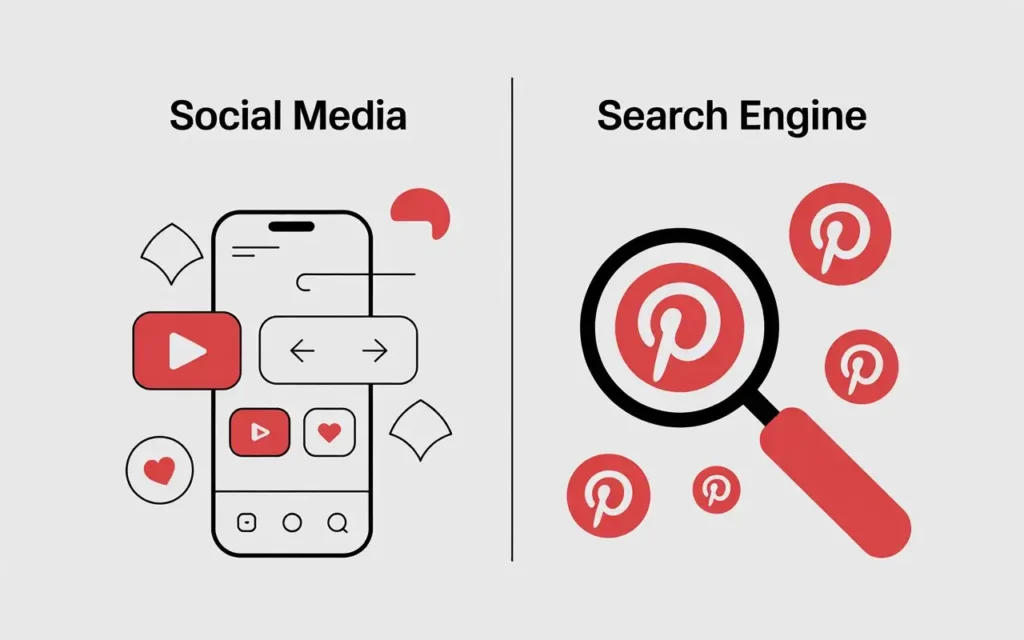
Pinterest isn’t a social media platform. Understanding that one thing changes everything about how you use it.
Pinterest Is Not a Social Media Platform — Here’s What It Really Is
Pinterest is a visual search engine. When someone opens Pinterest, they’re not scrolling to see what their friends had for lunch. They’re searching for something specific. A budget meal plan. A home office setup on a small budget. A beginner workout routine. A step-by-step guide to starting a side hustle.
They’re looking for answers, ideas, and solutions. That’s exactly the kind of intent that creates income opportunities for creators.
Think of it this way. A post on Instagram has a lifespan of maybe 24 to 48 hours before the algorithm buries it. A pin on Pinterest? It can show up in search results six months from now. A year from now. Even two years from now. You create something once, and it keeps working for you long after you’ve moved on to creating the next thing.
That’s the foundation of passive income on Pinterest, and it’s something no social media platform can offer.
How Pinterest’s Search Behavior Creates Income Opportunities
When someone searches Pinterest for “how to save money on groceries,” they’re not browsing for entertainment. They genuinely want to save money on groceries. That’s a person with a real problem actively looking for a real solution.
That’s called high purchase intent, and it’s extremely valuable. When people arrive at your content already looking for what you offer, they’re far more likely to click, read, buy, and come back.
This is why every income method you’ll read about later in this article, whether it’s display ads, affiliate marketing, or selling your own products, works so well when Pinterest is the traffic source. You’re not interrupting someone’s scroll. You’re showing up exactly when they need you.
Who Uses Pinterest in 2026 and What They’re Looking For
Pinterest’s user base is large, engaged, and genuinely underestimated by most online business owners. The platform skews heavily female, with women making up around 70% of its active users. Gen Z is its fastest-growing audience segment right now, which tells you this platform isn’t going anywhere.
More importantly, Pinterest users have significantly higher purchase intent than users on most other platforms. Studies consistently show that Pinterest users spend more, plan more purchases in advance, and use the platform specifically to find products and services they intend to buy.
Why Pinterest Traffic Behaves Differently Than Instagram or TikTok Traffic
On Instagram or TikTok, you build an audience and then hope they keep showing up. Your reach depends almost entirely on how often you post and how well the algorithm favors you that week.
Pinterest doesn’t work that way. Pinterest rewards helpful, niche-specific content over time. The more consistently you publish content your audience is searching for, the more the algorithm trusts your account and surfaces your pins to new people.
That compounding effect is what makes Pinterest genuinely different. You’re not chasing an algorithm. You’re building a library of content that grows in value the longer it exists.
Can You Really Make Money on Pinterest? Honest Expectations Before You Start
Yes, you can make money on Pinterest. But before you get into the how, you need to understand the when, because that’s where most people set themselves up for disappointment.
The honest answer is that Pinterest income is real, it’s achievable, and it takes longer than most articles will admit.
What Realistic Pinterest Income Looks Like for a Beginner (Months 1 to 6)
In your first few months, expect very little income. That’s not a warning to scare you off. That’s just the reality of how Pinterest works, and knowing it upfront will save you from quitting too early.
Most beginners earn somewhere between $0 and $200 per month in their first six months. Some earn nothing at all for the first three or four months, and that’s completely normal. Pinterest’s algorithm takes time to recognize your account, trust your content, and start showing your pins to new people consistently.
Think of it like planting a garden. You water it every day and see nothing for weeks. Then one morning, things start coming up. The work you did in month two shows up as results in month five. That’s Pinterest.
What Realistic Pinterest Income Looks Like at Intermediate Level (Months 6 to 18)
This is where things start to shift. If you’ve been consistent with creating content and pinning regularly, months six through eighteen are typically when real momentum builds.
Intermediate earners in this range commonly bring in anywhere from $500 to $3,000 per month, depending on their niche and monetization method. Some hit this faster. Some take longer. Both are normal.
The key difference between beginners who get here and those who don’t is almost never talent. It’s consistency during the months when nothing seemed to be working.
The Variables That Affect How Much You Earn
Your income on Pinterest doesn’t come down to luck. It comes down to specific, controllable factors:
- Your niche matters enormously. Personal finance, health, home, and food niches consistently attract higher-paying advertisers and more purchase-ready audiences than general lifestyle content.
- Content quality determines whether people click, save, and come back. Helpful, specific content earns far more than vague or generic posts.
- Posting consistency signals to Pinterest’s algorithm that your account is active and worth surfacing to more people.
- Your monetization method sets your income ceiling. Display ads require traffic volume. Affiliate marketing rewards trust. Digital products offer the best margins.
- Whether you have a blog connected to your Pinterest dramatically expands what you can earn, because your blog gives you multiple ways to monetize the same visitor.
A Side-by-Side Look at Pinterest Income Methods and What They Realistically Pay
| Income Method | Beginner Range | Intermediate Range | What You Need to Start |
|---|---|---|---|
| Display Ads | $0 to $150/month | $500 to $3,000/month | Blog with growing traffic |
| Affiliate Marketing | $0 to $200/month | $500 to $5,000/month | Blog or direct Pinterest pins |
| Digital Products | $0 to $300/month | $500 to $10,000/month | A product and a way to sell it |
| Pinterest VA Services | $300 to $800/month | $1,500 to $5,000/month | Pinterest knowledge and clients |
| Brand Partnerships | Unlikely early on | $500 to $5,000 per deal | Established following and niche authority |
These are realistic ranges, not guarantees. Your results depend entirely on how much effort you put in and how well you execute.
The Honest Time Investment: What “Passive Income” Actually Requires Upfront
Here’s something you deserve to hear clearly. Pinterest income is not passive in the beginning. It becomes passive over time, but only after you’ve done a significant amount of active work first.
In the early months, you’re creating content, researching keywords, designing pins, writing blog posts, and building your account from scratch. That’s real work. Several hours a week, every week, for months before you see meaningful returns.
The passive part kicks in when your older content starts compounding. A pin you created eight months ago quietly drives traffic today while you’re doing something else entirely. That’s the payoff. But you have to earn it first.
Nobody who’s genuinely succeeded with Pinterest income did it without putting in that upfront effort. The good news is that the effort compounds too, and the people who stick through the slow start almost always look back and say it was worth it.
Choosing Your Niche: The Decision That Shapes Everything
Before you create a single pin or write a single blog post, you need to make one decision that will affect everything else. Your niche. Get this right and the whole process becomes clearer. Get it wrong and you’ll spend months creating content that goes nowhere.
This isn’t about finding your “passion” in some abstract way. It’s about finding the specific topic where your knowledge, your interest, and real audience demand all meet at the same point.
Why Your Niche Choice Affects Your Income Ceiling
Your niche doesn’t just determine what you write about. It determines how much advertisers pay to reach your audience, how quickly your Pinterest traffic grows, which monetization methods are available to you, and how long you can keep creating content without burning out.
A personal finance blog attracts advertisers willing to pay $20 to $40 per thousand pageviews because financial products are high value. A general lifestyle blog in an oversaturated space might earn a fraction of that for the same traffic. Your niche is essentially your income ceiling, and it’s worth choosing carefully before you start.
The Three-Part Test for a Good Pinterest Niche
Before committing to any niche, run it through these three questions:
- Is there strong search demand on Pinterest? Open Pinterest and type your niche topic into the search bar. If relevant suggestions auto-complete and the results show a variety of active pins, people are actively searching for that content. If the search bar struggles to complete your query, that’s a signal worth paying attention to.
- Do people buy products or services in this space? A niche where people actively spend money gives you more monetization options. Personal finance, health, home improvement, and parenting all have strong commercial ecosystems around them.
- Can you create content in this space consistently for at least a year without dreading it? This one matters more than most people expect. You’re going to create a lot of content. If the topic bores you by month three, your consistency will suffer and your results will follow.
All three need a yes. Two out of three isn’t enough.
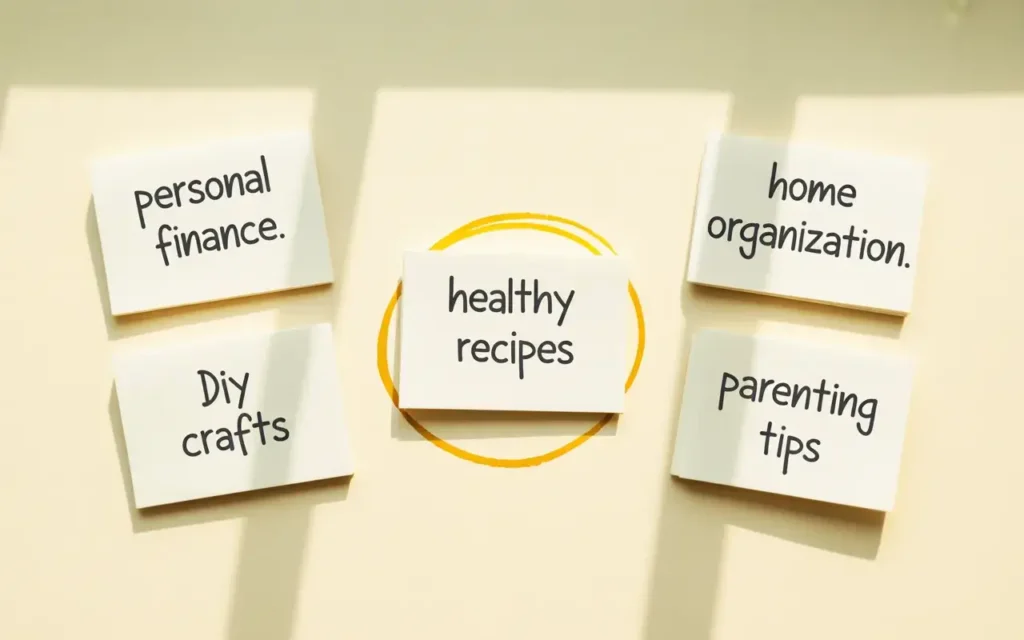
High-Performing Pinterest Niches in 2026
Some niches consistently outperform others on Pinterest, and it’s worth knowing which ones before you choose:
- Personal finance attracts readers actively trying to solve money problems, which means high intent and strong advertiser demand
- Home organization and decor performs exceptionally well because visual content thrives on Pinterest and the audience is highly engaged
- Health and wellness covers an enormous range of subtopics and connects naturally to affiliate products and digital programs
- Food and recipes drives massive search volume and works well with display ads and affiliate partnerships
- Parenting builds deeply loyal audiences who trust recommendations and buy frequently
- DIY and crafts generates some of the highest save rates on Pinterest, which extends your content’s lifespan
- Travel attracts planning-focused users with strong purchase intent around bookings, gear, and experiences
- Beauty and skincare connects naturally to affiliate marketing with high commission rates on premium products
Niches That Are Oversaturated vs. Niches With Room to Grow
General lifestyle content, vague self-improvement advice, and broad fashion are extremely difficult spaces for new creators right now. They’re crowded, they don’t target a specific enough audience, and they struggle to convert visitors into income.
The fix isn’t to avoid popular niches entirely. It’s to niche down within them. Instead of “healthy eating,” try “high-protein meals for busy moms.” Instead of “saving money,” try “budgeting on a single income.” Specificity makes you findable and builds a more loyal audience.
What to Do If You’re Genuinely Not Sure Which Niche to Pick
Start with what you already know and already get asked about. What do friends or family come to you for advice on? What problems have you personally solved that others are still struggling with? What topics do you find yourself reading about even when nobody’s watching?
Write down three to five topics that meet those criteria. Then open Pinterest and search each one. Look at how many results appear, how active the pins are, and whether there are products or services being promoted in that space. The niche that scores highest across all three tests is almost always your best starting point.
You don’t need to find the perfect niche. You need to find a good enough niche and start. Clarity comes from doing, not from thinking about it indefinitely.
The Blog Path: Why a Blog Multiplies Your Pinterest Income
You can make money on Pinterest without a blog. Several methods later in this article don’t require one. But if you want to build the kind of income that grows over time and compounds month after month, combining a blog with your Pinterest account is the most effective path available to you.
Here’s why that combination works so well.
Why a Blog Turns Pinterest Traffic Into Multiple Income Streams Simultaneously
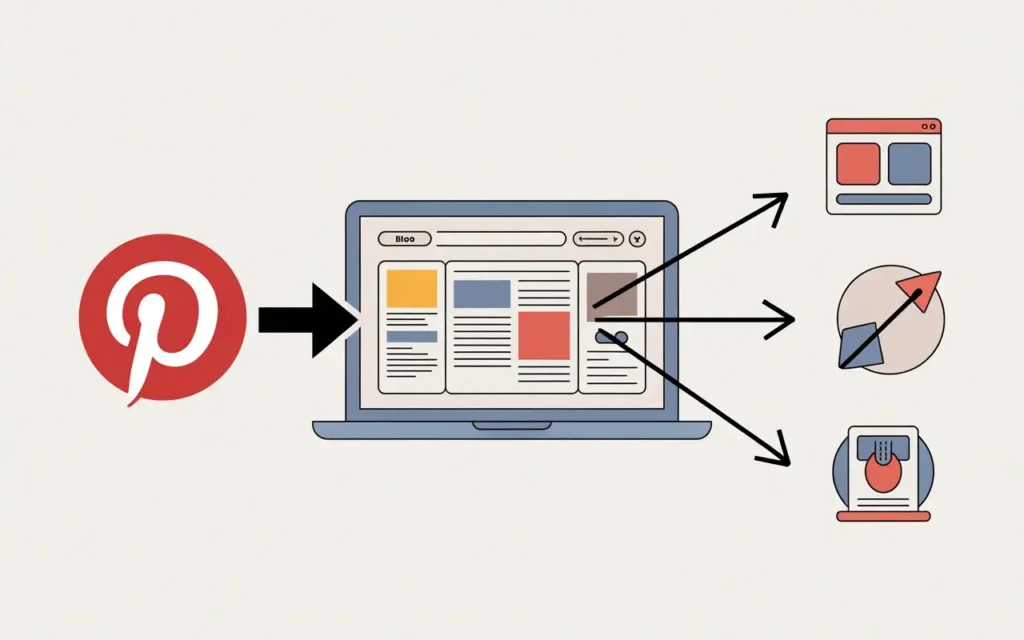
Think of your blog as an income hub. Pinterest drives people to it, and your blog does the work of converting that traffic into actual money.
When someone clicks your pin and lands on your blog post, they might see a display ad and generate ad revenue. They might click an affiliate link and earn you a commission. They might download a free resource, join your email list, and eventually buy a product you created. All of that can happen from a single visitor arriving through a single pin.
That’s the power of the blog and Pinterest combination. You’re not relying on one monetization method. You’re running several simultaneously, and every new visitor has multiple ways to contribute to your income.
What a Self-Hosted Blog Is and Why the Free Version Limits Your Income
When people say “start a blog,” they usually mean a self-hosted blog, and that distinction matters more than it sounds.
A free blog on platforms like WordPress.com or Blogger gives you a subdomain that looks like yourname.wordpress.com. It limits what you can install, restricts how you can monetize, and signals to ad networks and affiliate programs that you’re not a serious publisher. Most premium ad networks won’t accept free blogs at all.
A self-hosted blog means you pay for your own hosting, use your own domain name, and have full control over everything. Ad networks accept you. Affiliate programs take you seriously. You own your content completely.
The cost is genuinely low. A domain name runs about $10 to $15 per year. Basic hosting from a reputable provider costs anywhere from $25 to $80 per year at entry level. For many people, that’s less than two months of a streaming subscription, and it’s the lowest-barrier business investment you’ll ever make.
What Your Blog Actually Needs Before It Can Make Money
A blog with three posts and a half-finished design won’t earn anything meaningful. Before you focus on monetization, your blog needs a real foundation.
That means at minimum:
- 10 to 15 quality posts that genuinely help your target audience with specific problems
- A clean, readable design that works well on mobile since most Pinterest traffic arrives on phones
- Basic SEO setup including a plugin that handles your meta descriptions and site structure
- A clear niche focus so that every post reinforces what your blog is about
You don’t need to be a web designer or a tech expert to set this up. Most modern blogging platforms walk you through the basics, and plenty of free tutorials cover the rest.
The Content Types That Work Best When Paired With Pinterest Traffic
Not all blog content performs equally well when Pinterest is your traffic source. Pinterest users respond best to content that’s immediately useful and visually easy to understand.
The formats that consistently perform well include:
- List posts (“17 Ways to Cut Your Grocery Bill This Month”)
- How-to guides that walk through a process step by step
- Resource roundups that save the reader from having to search themselves
- Personal experience posts that document a real journey or result
- Problem-solution articles that name a specific struggle and solve it directly
Each of these formats translates naturally into a pin image with a clear, clickable title.
A Realistic Look at the Blog Setup Process and What It Costs
Setting up a blog takes a weekend, not a month. Choosing a hosting provider, picking a domain name, installing a blogging platform, and selecting a basic theme takes a few hours if you follow a simple tutorial.
The honest timeline after that is 3 to 6 months before traffic becomes meaningful. Your first posts won’t rank immediately. Your pins will take time to gain traction. That’s normal, and it’s not a sign that anything is broken.
The bloggers who succeed treat those first months as an investment period, not a waiting period. They keep creating, keep pinning, and trust that the compounding effect will eventually show up. It almost always does.
Building Your Pinterest Presence: Account Setup Done Right
Setting up a Pinterest account takes about twenty minutes. Setting it up in a way that actually supports your income goals takes a bit more thought. Most people skip the strategy and wonder later why their account isn’t growing.
Here’s how to do it properly from the start.
Business Account vs. Personal Account: What Changes and Why It Matters
If you’re using Pinterest to make money, you need a business account. Full stop.
A personal account is fine for saving recipes and home decor ideas. A business account gives you access to Pinterest Analytics so you can see which pins drive the most clicks, which boards perform best, and where your audience comes from. It also unlocks Rich Pins, access to Pinterest Ads, and creator tools that simply don’t exist on a personal account.
Every one of those features connects directly to your ability to grow your income. Setting up a business account is free and takes less than five minutes. There’s no reason to start with a personal account and convert it later.
Setting Up Your Profile for Both Humans and Pinterest’s Algorithm
Your profile does two jobs at once. It tells real people what you’re about, and it tells Pinterest’s algorithm which searches your content should appear in.
Start with your display name. Include your main niche keyword naturally in it, for example “Sarah | Budget Meals and Family Finance” rather than just “Sarah Johnson.” This small detail helps Pinterest understand what your account covers.
Your bio should describe who you help and what problem you solve, written in plain language with a keyword or two woven in naturally. Open Pinterest’s search bar and type your niche topic. The autocomplete suggestions that appear are the exact phrases your audience uses. Those are the words you want in your bio, not invented marketing language.
Use a clear, professional profile photo or a simple branded logo. Blurry or irrelevant images reduce the credibility of your account before anyone reads a single word.
How to Structure Your Boards for Maximum Discoverability
Your Pinterest boards are essentially categories, and each one should map directly to a content pillar in your niche.
If your niche is personal finance, your boards might cover budgeting tips, saving money, making money from home, debt payoff strategies, and frugal living. Each board represents a topic your audience searches for, and each one gives Pinterest another signal about what your account covers.
Every board needs a keyword-optimized description, not just a name. A board called “Budgeting Tips” with a description that reads “practical budgeting tips for beginners, monthly budget templates, and strategies to save more money every week” tells the algorithm far more than a blank description field.
Create between 10 and 20 focused boards when you start. More than that early on spreads your content too thin and dilutes your niche focus.
The Right Way to Use Keywords in Your Pinterest Profile (and the Wrong Way)
Keywords help Pinterest surface your content to the right people. But there’s a meaningful difference between using keywords naturally and stuffing them in a way that reads as spam.
Natural keyword use sounds like something a real person wrote: “I share practical budgeting strategies and money-saving tips for families trying to stretch every dollar.”
Keyword stuffing looks like this: “budgeting tips budget money saving save money frugal living financial tips personal finance.” Pinterest’s algorithm has grown sophisticated enough to recognize the difference, and the stuffed version actually performs worse.
Use keywords the way you’d use them in normal conversation. If a phrase sounds awkward out loud, rewrite it until it doesn’t.
Verifying Your Website and Why This Step Is Non-Negotiable
Verifying your website with Pinterest tells the platform that you own the domain your pins link to. This unlocks Rich Pins, which automatically pull your blog post’s title, description, and other metadata directly into your pin.
Rich Pins look more professional than standard pins. They give Pinterest users more context before they click. And they consistently outperform unverified pins in click-through rates.
The verification process takes about ten minutes and involves adding a small piece of code to your website. Pinterest walks you through it step by step in your account settings. Do this before you start pinning your blog content, not after.
Pinterest SEO: How to Get Your Content Found
You can create beautiful pins with perfect descriptions and still hear crickets. That’s the frustrating reality many beginners face, and the reason is almost always the same: they skipped Pinterest SEO.
Pinterest SEO is the single biggest factor determining whether your content reaches people or disappears into the void. Here’s how it actually works.
How Pinterest’s Search Algorithm Decides What to Show People
Pinterest’s algorithm evaluates every piece of content against three main questions:
Is this content relevant to what the user searched for? Pinterest reads your pin title, description, board name, and profile to understand what your content covers. The more clearly your content signals its topic, the more confidently Pinterest shows it to the right people.
Do people engage with it? Saves, clicks, and close-up views all tell Pinterest that your content is worth showing to more people. High engagement gets rewarded with broader reach.
Is this account active? Pinterest favors accounts that post consistently over accounts that publish in bursts and then disappear. A newer account that pins regularly will often outperform an older account that posts sporadically.
Keyword Research for Pinterest: Finding What Your Audience Is Actually Searching
You don’t need any paid tools for Pinterest keyword research. The platform hands you the answers for free.
Open Pinterest and type your niche topic into the search bar. Before you finish typing, Pinterest will suggest completions. Those suggestions are exactly what real users search for most often. Write them down.
After you run a full search, scroll to the top of the results page. You’ll see a row of colored topic tiles just below the search bar. These are Pinterest’s related search categories, and they show you how your audience breaks down their interest in your topic. Each tile is a potential keyword for a pin, a board, or a blog post.
This whole process takes ten minutes and gives you more useful keyword data than most beginners ever bother collecting.
Where to Place Keywords for Maximum Impact (and Where It Doesn’t Help)
Keyword placement follows a clear hierarchy on Pinterest. Here’s where it matters most, in order:
- Pin title carries the most weight. Make your keyword appear naturally in the first few words.
- Pin description reinforces the title and gives the algorithm more context. Write it for humans first, then check that your main keyword appears once naturally.
- Board name signals to Pinterest which category your content belongs in.
- Board description gives the algorithm additional context about the board’s focus.
- Profile bio establishes your account’s overall niche.
Keywords in your image file name and alt text also help, though they carry less weight than the fields above. The one place keywords genuinely don’t help is stuffed randomly into sentences where they don’t belong.
How Pinterest’s Smart Feed Works and What It Means for Your Strategy
Pinterest’s Smart Feed serves content based on what each individual user has previously engaged with, not just who they follow. This is why a brand new account with 200 followers can have a pin reach tens of thousands of people.
Your follower count does not determine your reach. Your content quality and keyword relevance do. A well-optimized pin on a topic someone regularly engages with will land in their feed whether they follow you or not.
This also means that newer accounts aren’t at a permanent disadvantage. Pinterest does take time to establish what it calls domain authority for your account, essentially a trust score that builds as you post consistently and earn engagement. But that trust builds through consistent action, not through having an established following.
Consistency Signals: Why Regular Pinning Matters Algorithmically
Pinning once a week won’t build momentum. Pinning every day, even if it’s just five to ten pins, signals to Pinterest that your account is active and worth surfacing regularly.
Consistency matters more than volume. Ten pins every single day beats fifty pins one day and nothing for a week.
If daily pinning feels overwhelming, a scheduling tool like Tailwind lets you batch your pinning work once a week and drip it out automatically. It’s worth considering once you’re creating content regularly, though it’s not something you need on day one.
Creating Pins That Actually Get Clicked
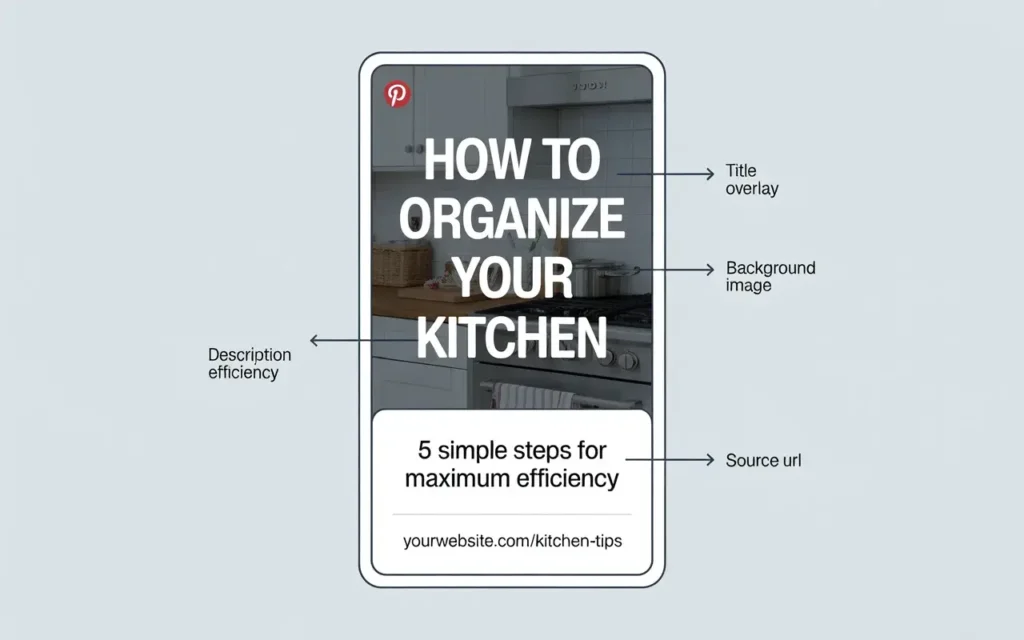
A pin is a tiny advertisement for your content. You have about half a second to catch someone’s attention as they scroll. Understanding what makes a pin work isn’t optional, it’s the difference between content that drives traffic and content that sits unnoticed.
The Anatomy of a High-Performing Pin (What Every Element Does)
Every pin has four working parts, and each one serves a specific purpose:
The visual is the first thing people see. It needs to stop the scroll immediately. A clear, high-contrast image with a single obvious focal point does that. Cluttered or dark visuals get skipped.
The title overlay is the text on your image. It tells the viewer exactly what they’ll get if they click. It should be specific, benefit-focused, and large enough to read on a phone screen.
The pin description is what the algorithm reads most carefully. Write it in natural language, include your keyword once, and give the viewer one more reason to click through to your content.
The destination URL is where your pin links to. Make sure it goes directly to the relevant blog post or product page, never to your homepage.
Static Pins vs. Video Pins vs. Idea Pins: Which to Use and When
These three formats serve different purposes, and understanding the difference saves you a lot of wasted effort.
Static pins are your most reliable traffic drivers. They’re simple images that link directly to your blog or product page. They have a long lifespan, show up in search results for months or years, and consistently drive outbound clicks. Start here.
Video pins generate higher engagement and more impressions than static pins. They’re great for building visibility and brand recognition. They also require more effort to produce, so they make more sense once you’ve established a posting rhythm.
Idea pins are Pinterest’s multi-page story format. They build followers and get strong engagement within the platform. Here’s the critical thing most guides miss: Idea pins don’t allow outbound links. They’re excellent for growing your audience but they won’t drive traffic to your blog. Use them to build presence, not to generate income directly.
Design Principles That Drive Clicks (for Non-Designers)
You don’t need design skills to create effective pins. You need to follow a few principles that work every time:
- Use a vertical format at a 2:3 ratio (1000 x 1500 pixels is the standard). Vertical pins take up more space in the feed and get more attention.
- High contrast between text and background makes your title readable at a small size on a phone screen.
- Keep your text short and large. If you need to squint to read it, your viewer won’t bother.
- Use consistent brand colors across your pins so your content becomes recognizable over time.
- Include a clear focal point in your image. One strong visual element outperforms a busy collage every time.
Writing Pin Titles and Descriptions That Balance Keywords and Human Appeal
A weak pin title states the obvious: “Budgeting Tips.” A strong pin title combines the keyword with a specific benefit or curiosity trigger: “7 Budgeting Tips That Cut My Monthly Expenses by $400.”
The second version tells the reader exactly what they’ll get and gives them a reason to believe it’s worth their time. That specificity is what drives clicks.
Your description should read like a natural sentence, not a keyword list. Something like: “These simple budgeting strategies helped me free up extra money every month without giving up the things I actually enjoy. Save this for your next budget reset.” That’s human, specific, and includes a call to action.
Free Tools for Creating Professional-Quality Pins With No Design Experience
Canva is genuinely all most beginners need. The free tier includes hundreds of Pinterest-specific templates sized correctly, a drag-and-drop editor, and a solid library of free images and fonts.
When you use Canva templates, customize them significantly rather than posting them as-is. Templates that look identical to thousands of other pins won’t stand out. Change the colors to match your brand, swap the fonts, and use your own images or a fresh stock photo.
Testing and Improving Your Pins Over Time
Don’t create one pin per blog post and call it done. Create two or three variations of the same pin with different titles, different images, or different color schemes. Pin them over a few weeks and check your Pinterest Analytics to see which version drives the most clicks.
Let the data make your design decisions. Over time you’ll develop a clear sense of what resonates with your specific audience, and your click-through rates will improve steadily as a result.
The Four Main Ways to Make Money on Pinterest
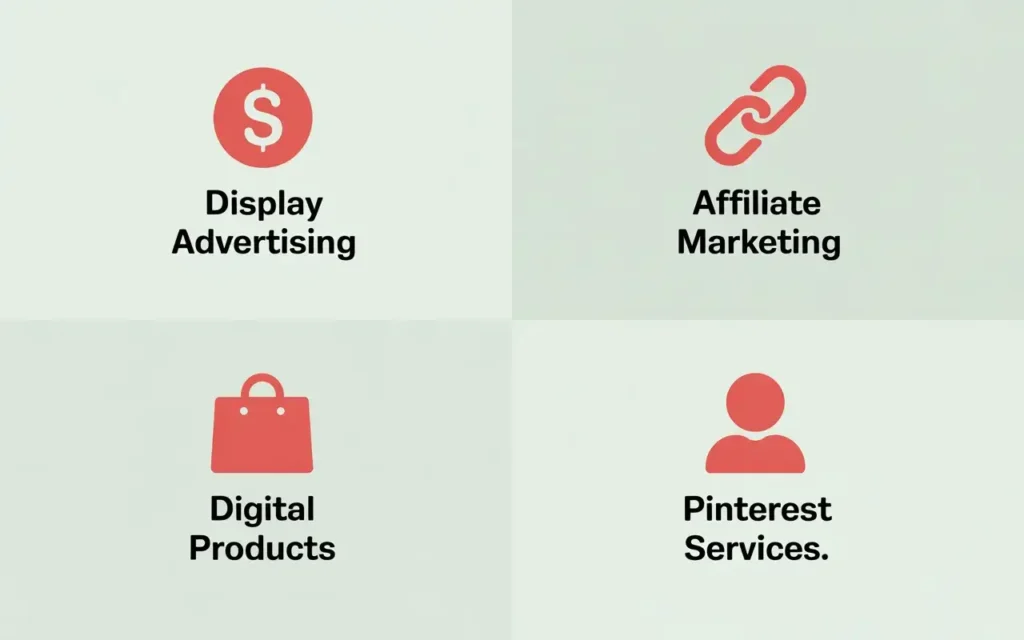
People ask “how do I make money on Pinterest” as if there’s one answer. There are actually four distinct income paths, and they work very differently from each other. Understanding each one helps you choose the right starting point for your situation rather than trying to do everything at once.
Method 1: Display Advertising — Turning Traffic Volume Into Passive Income
Display advertising is the most straightforward income method for bloggers who use Pinterest to drive traffic. Here’s the basic mechanic: you host ads on your blog, an ad network manages which ads appear, and they pay you based on how many people view those ads.
The payment metric is called RPM, which stands for revenue per mille, meaning revenue per 1,000 pageviews. Your RPM depends heavily on your niche and your ad network.
For beginners, Google AdSense accepts blogs with relatively low traffic and pays modest RPMs, typically $3 to $8. Ezoic and Monumetric are solid mid-tier options that pay better and have reasonable entry requirements.
Once your blog reaches 50,000 monthly sessions, Mediavine becomes available, and this is where earnings shift meaningfully. Mediavine RPMs typically range from $15 to $40 depending on your niche, with personal finance and health content sitting at the higher end of that range.
To put that in practical terms: 30,000 monthly pageviews at a $15 RPM generates $450 per month from ads alone. At a $30 RPM, that same traffic produces $900 per month. The traffic does the work. Your job is to keep creating content that brings more of it.
Raptive (formerly AdThrive) is another premium network that competes with Mediavine at higher traffic levels. Both are worth researching once you’re ready to apply.
The honest requirement for display ads to work meaningfully is consistent, growing traffic. This method rewards patience more than any other.
Method 2: Affiliate Marketing — Earning Commissions by Solving Your Reader’s Problems
Affiliate marketing means recommending a product or service and earning a commission when someone buys through your unique link. You don’t create the product, handle the sale, or deal with customer service. You just connect the right person to the right solution.
The blog path converts dramatically better than pinning affiliate links directly, and here’s why. A blog post gives you space to explain the product, share your experience with it, answer the reader’s likely questions, and build the trust that leads to a purchase. A pin image can’t do any of that. It just shows the product and asks for the click.
Most affiliate commissions on low-ticket physical products like Amazon items run between 1% and 5%. Digital products and software programs pay significantly more, often 20% to 50%, because their margins are higher. Focusing your affiliate strategy on digital products and services in your niche typically generates more income for the same amount of traffic.
To find affiliate programs, start with direct brand programs for products you already use and trust. Then explore affiliate networks like ShareASale, Awin, Impact, and Amazon Associates, which each host hundreds of programs across different niches.
One thing the competitor article never mentioned that you genuinely need to know: FTC guidelines require you to disclose affiliate relationships clearly, both on your blog posts and on Pinterest pins that contain affiliate links. A simple “this post contains affiliate links” statement at the top of your post covers you. Skipping this disclosure isn’t just an ethical issue. It’s a legal one.
Method 3: Selling Your Own Digital Products — The Highest-Margin Income Method
Digital products represent the best income-to-effort ratio available on Pinterest over the long term. You create a product once and sell it indefinitely. No inventory. No shipping. No restocking. Every sale after the first is essentially pure margin.
Pinterest traffic converts well to digital product sales because the audience arrives already looking for solutions. When your content consistently delivers value, a portion of your readers will naturally want to go deeper, and a product that solves their problem more thoroughly than a free blog post can is a natural next step.
Digital products that sell well from Pinterest traffic include:
- eBooks and guides covering a specific topic your audience searches for repeatedly
- Templates for budgets, meal plans, content calendars, or social media
- Printables like planners, trackers, and worksheets
- Mini-courses or video workshop series
- Resource bundles that package several useful items together
You can sell digital products through platforms like Gumroad, Payhip, or Etsy Digital without building a full e-commerce store. If you have a blog, selling directly from it through a simple checkout plugin gives you the most control and the highest margins.
Start small and specific. A $9 to $27 product that solves one clear problem for your audience is a far better starting point than spending months building a $200 course before you’ve validated that your audience wants it.
Method 4: Offering Pinterest Services — Getting Paid for the Skills You’re Already Building
Here’s something worth noticing: as you learn how to use Pinterest effectively, you’re developing skills that other businesses genuinely need and will pay for. Bloggers, coaches, e-commerce brands, and small businesses all want Pinterest traffic, and many of them don’t have the time or knowledge to manage their own accounts.
That’s where Pinterest Virtual Assistants and Pinterest Managers come in.
As a Pinterest VA, your work typically includes creating pins, scheduling them, doing keyword research, optimizing board descriptions, and reporting on analytics. This is the entry-level role, and it’s a completely legitimate way to earn real income while you’re still building your own Pinterest presence.
Realistic starting income runs from $300 to $800 per month per client. With three to five clients, that’s a meaningful monthly income that doesn’t require any traffic, any blog, or any waiting period.
Finding your first client doesn’t require a portfolio or years of experience. Freelance platforms like Upwork and Fiverr are practical starting points. Facebook groups for bloggers and online business owners regularly feature people looking for Pinterest help. A straightforward LinkedIn message to small business owners in your niche can also open doors.
The career path in this space follows a clear progression. Pinterest VA handles execution tasks. Pinterest Manager takes on strategy and account oversight at higher rates. Pinterest Strategist consults on full content and growth strategy and commands the highest rates of all. Each step up the ladder reflects deeper knowledge and broader responsibility, and each pays accordingly.
Driving Pinterest Traffic: The Strategies That Actually Work in 2026
Getting your Pinterest account set up is the easy part. Getting consistent traffic flowing from it is where most people get stuck. This section gives you the operational framework the competitor never did.
The Content Consistency Principle: Why Showing Up Regularly Matters More Than Going Viral
Most beginners chase the viral pin. One explosive post that brings thousands of visitors overnight. It’s a reasonable thing to hope for, but it’s the wrong thing to optimize for.
Pinterest rewards consistency far more than it rewards occasional brilliance. An account that publishes five fresh pins every single day will almost always outperform an account that publishes fifty pins in one weekend and goes quiet for two weeks. The algorithm interprets regular activity as a trust signal, and that trust translates directly into wider reach over time.
You don’t need to create ten new blog posts a week to stay consistent. You can create multiple pin designs for existing content, pin to different boards, and test different angles on the same topic. Consistency is about showing up regularly, not about constantly creating from scratch.
How to Build a Pinning Schedule That Doesn’t Burn You Out
Daily pinning sounds exhausting until you change how you approach it. The secret is batching.
Instead of sitting down every morning to create and publish pins, set aside two to three hours once a week to create everything in one focused session. Design your pins for the week, write your descriptions, and schedule them to publish automatically using a tool like Tailwind or Pinterest’s own built-in scheduler.
A realistic sustainable schedule for most beginners looks like this:
- 5 to 10 pins per day spread across your boards
- 2 to 3 fresh pin designs per week for your newest content
- Older content repinned regularly with updated designs to keep it circulating
This approach keeps your account active every day without requiring daily effort from you.
Group Boards in 2026: What Still Works and What Doesn’t
A few years ago, joining as many group boards as possible was the standard Pinterest growth advice. The algorithm has changed significantly since then, and following that old advice today won’t get you the same results.
Group boards have lost most of their traffic-driving power. Pinterest now prioritizes personal boards and individual account authority over shared group activity. Large group boards with hundreds of contributors often suffer from low engagement and diluted niche focus, which actually hurts your visibility.
That said, group boards aren’t completely useless. Joining 3 to 5 small, active group boards that are tightly focused on your niche can still give your content a modest reach boost, especially in the early months when your personal account hasn’t built authority yet. The key word is small. Fewer contributors and more niche specificity equals better results.
Tailwind Communities vs. Group Boards: A Practical Comparison
Tailwind Communities, previously called Tribes, work similarly to group boards but with a more intentional structure. Members share each other’s content within a defined topic community, and the system encourages genuine reciprocal sharing rather than one-sided broadcasting.
The practical difference is that Tailwind Communities tend to attract more engaged, niche-specific participants than large public group boards. You share your pins, other members reshare them to their audiences, and you do the same in return. For accounts still building reach, this reciprocal model can meaningfully extend your content’s visibility.
Tailwind itself is a paid tool, though it offers a free starter plan. It’s worth considering once you’re pinning consistently and want to automate your schedule and expand your reach simultaneously.
How to Analyze Your Pinterest Analytics and Adjust Your Strategy
Most beginners either ignore their analytics entirely or obsess over the wrong numbers. Here’s what actually matters for income:
Outbound clicks are the most important metric to watch. This tells you how many people clicked through from your pin to your website. More outbound clicks equals more traffic equals more income potential. If a pin gets thousands of impressions but almost no clicks, the image or title isn’t compelling enough to act on.
Saves tell you how much people value your content. High saves extend your pin’s lifespan because every save exposes it to that person’s followers.
Impressions show how widely Pinterest is distributing your content. Low impressions on a new pin usually means your keywords need work or your account needs more consistency to build algorithm trust.
Check your analytics once a week, identify your three to five highest-performing pins, and ask yourself what those pins have in common. Then create more content that mirrors those qualities.
What to Do When Your Traffic Plateaus
Traffic plateaus happen to almost everyone, and the competitor article never addressed them at all. Here’s how to move through one.
Create fresh pin designs for your existing top-performing content. Pinterest treats a new pin image as fresh content even if the destination URL is the same. A post that drove traffic six months ago can drive traffic again with a new visual and an updated title.
Approach evergreen topics from seasonal angles. A budgeting post can become a “back to school budget” pin in August or a “holiday spending plan” pin in November. Same core content, fresh relevance.
Target keyword variations you haven’t optimized for yet. Go back to Pinterest’s search bar and look for related phrases your existing content could rank for with a new pin approach.
Update older blog posts and repin them. Fresh content on the destination page tells Pinterest the post is current, which can revive its distribution.
A plateau isn’t a sign that your strategy stopped working. It’s usually a sign that your content library needs refreshing.
Making Money on Pinterest Without a Blog
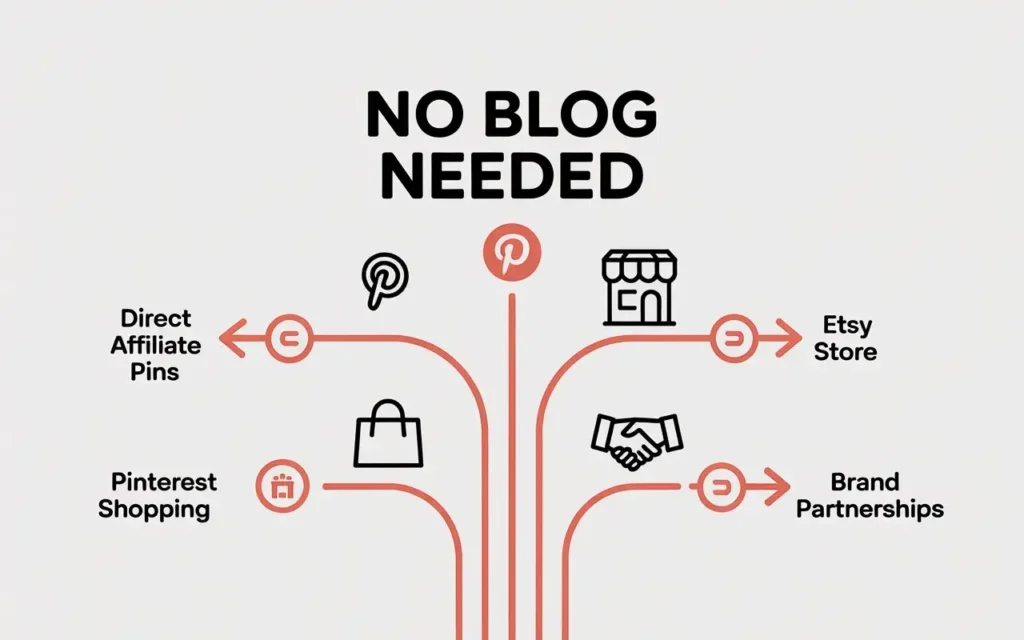
Not everyone wants to start a blog, and that’s a completely valid choice. The no-blog path has real income potential, and it deserves an honest explanation rather than a dismissive footnote.
Can You Realistically Earn Without a Blog? (Honest Answer)
Yes, genuinely. But you need to go in with clear expectations.
The no-blog path has a lower income ceiling than the blog path, at least in most cases. Without a blog, you lose the ability to monetize through display advertising, you can’t build an email list easily, and your ability to earn affiliate commissions relies more heavily on your pin’s ability to convert cold traffic directly. That’s a harder ask.
That said, several no-blog methods work well in the right circumstances. Selling your own products, offering Pinterest services, and building a following for brand partnerships are all legitimate paths that don’t require a blog at all.
Direct Affiliate Marketing on Pinterest: How It Works and What to Expect
You can add affiliate links directly to your Pinterest pins, meaning when someone clicks your pin, they land straight on the product page rather than on your blog. If they buy, you earn a commission.
Before you start, check two things. First, confirm that the affiliate program you’re using actually allows direct linking on Pinterest. Many programs, including Amazon Associates, restrict or prohibit this. Violating those terms can get your affiliate account suspended. Second, disclose the affiliate relationship clearly in your pin description. Adding “affiliate link” or “paid link” to your description isn’t optional. It’s an FTC requirement.
Conversion rates for direct affiliate pins tend to be lower than blog-based affiliate content because you have no space to build context or trust before asking for the click. You can improve this by writing a detailed, genuinely helpful pin description that answers the reader’s likely questions before they reach the product page.
Selling Products Directly Through Pinterest Shopping
If you sell physical or digital products through an e-commerce store, Pinterest Shopping is worth setting up properly.
Pinterest Shopping lets you connect your product catalog to your account, turning your products into shoppable pins that appear in search results and feeds. Shoppers can see your product’s price, availability, and details without leaving Pinterest.
The Verified Merchant Program takes this further. Verified merchants get a badge on their profile, appear in dedicated shopping experiences, and typically see better visibility in product-related searches. To qualify, your store needs to meet Pinterest’s merchant guidelines, which cover things like accurate product information, a clear return policy, and secure checkout.
If you sell through Shopify, WooCommerce, or similar platforms, the catalog integration process is straightforward through each platform’s Pinterest app.
Using Pinterest to Drive Traffic to an Etsy Store or External Shop
Etsy sellers have used Pinterest as a traffic source for years, and it remains one of the most effective combinations available for product-based businesses.
The approach is simple: create pins that feature your products with keyword-optimized titles and descriptions, and link each pin directly to the corresponding Etsy listing. Pinterest users who search for handmade goods, digital downloads, or unique products regularly discover Etsy shops through Pinterest.
The key is treating each product pin like a search-optimized mini advertisement. Your pin image should show the product clearly and attractively. Your title should include the search terms your buyers use. Your description should address the buyer’s likely questions and include a natural call to action.
Brand Partnerships and Sponsored Content for Creators With Followings
Brands pay Pinterest creators to produce content that features their products or services. This can take the form of a sponsored pin, a series of pins, or content created for the brand to promote through their own Pinterest ads.
Realistically, brand partnerships require a meaningful following, typically at least 10,000 engaged followers, along with a clear niche and a professional presence. Brands aren’t looking for the largest accounts. They’re looking for accounts whose audience matches their target customer.
To approach brands, identify companies whose products genuinely align with your content and audience. Reach out with a short, specific pitch that explains your audience, your engagement rates, and what you’d create for them. Starting with smaller brands in your niche is often easier than going straight for major companies.
What to charge depends on your following size, engagement rates, and what the content involves. Entry-level sponsored pin packages often start around $100 to $300 per pin for smaller creators and scale up significantly from there.
Pinterest Creator Programs: What’s Available and Who Qualifies
Pinterest has offered creator-focused programs including the Creator Inclusion Fund, which provides selected creators from underrepresented communities with funding, training, and access to brand partnerships through a structured program.
These programs run in cycles focused on specific niches, and applications aren’t always open. If this interests you, signing up for Pinterest’s creator newsletter keeps you informed when new cycles open.
Beyond specific programs, Pinterest continues expanding its tools for creators, including enhanced analytics, the paid partnership tag for sponsored content, and features that help creators connect with brands directly through the platform. Checking Pinterest’s creator hub periodically keeps you current on what’s available.
The Mistakes That Quietly Kill Your Pinterest Income
The competitor article told you what to do. Nobody told you what not to do. That’s a significant gap, because most people who try Pinterest and give up don’t fail because they had the wrong strategy. They fail because a specific, avoidable mistake quietly undermined everything they were building.
Here are the eight most common ones.
Mistake 1: Choosing a Niche Too Broad to Build Authority In
What it looks like: You decide to blog about “lifestyle” or “wellness” or “personal development” because those topics feel flexible and approachable.
Why it damages your results: Pinterest’s algorithm needs to understand exactly what your account covers before it can consistently match your content to the right searches. A broad, undefined niche confuses that process. You end up competing against every creator in a dozen different categories instead of dominating one specific corner of the platform.
The correction: Narrow down before you start. “Minimalist home organization for small apartments” outperforms “lifestyle” every time. Specific niches build authority faster, attract more loyal audiences, and earn higher RPMs from advertisers.
Mistake 2: Treating Pinterest Like Instagram
What it looks like: You post personal photos, daily updates, and behind-the-scenes content because that’s what works on other platforms.
Why it damages your results: Pinterest users aren’t there to follow your personal journey. They’re there to find solutions to specific problems. Content that doesn’t answer a search query rarely gets discovered by new people, which means your reach stays permanently limited to your existing followers.
The correction: Every piece of content you create for Pinterest should answer a question someone is actively searching for. Ask yourself before creating anything: “Would someone type this into a search bar?” If the answer is no, rethink the content.
Mistake 3: Ignoring Keyword Research and Hoping the Algorithm Figures It Out
What it looks like: You create content you think is good, write descriptions that feel natural, and wait for traffic to arrive.
Why it damages your results: Without deliberate keyword placement, Pinterest can’t confidently categorize your content. Pins without clear keyword signals get shown to fewer people and rank lower in search results, regardless of how good the content actually is.
The correction: Spend ten minutes on Pinterest keyword research before you create any pin. Use the search bar autocomplete. Look at the related search tiles. Place your main keyword naturally in your pin title and description. It doesn’t take long, and it makes a measurable difference.
Mistake 4: Giving Up During the “Dead Zone”
What it looks like: You post consistently for two months, see almost no traffic, and conclude that Pinterest doesn’t work.
Why it damages your results: This is the most costly mistake on the list. Pinterest’s algorithm takes time to establish domain trust for newer accounts. The typical trust-building period runs from two to four months, during which traffic growth appears almost flat even when you’re doing everything right. The creators who push through this period almost always see meaningful growth on the other side. The ones who quit lose all the compounding value of the work they’ve already done.
The correction: Commit to at least six months of consistent effort before evaluating whether your strategy is working. Treat the first four months as the investment phase where you plant without expecting harvest.
Mistake 5: Monetizing Too Early Before Building Any Audience Trust
What it looks like: You add affiliate links to your first three blog posts and wonder why nobody’s buying.
Why it damages your results: Affiliate marketing and digital product sales run on trust. A visitor who’s never seen your content before has no reason to act on your recommendations. Pushing monetization before you’ve built any relationship with your audience produces almost no income and can actually drive people away.
The correction: Focus your first two to three months entirely on creating genuinely helpful content. Let people find you, read your work, and save your pins before you ask them to buy anything. The income comes after the trust, not before it.
Mistake 6: Pinning the Same Image Repeatedly
What it looks like: You create one pin for each blog post and pin it to all your boards once.
Why it damages your results: Pinterest’s algorithm deprioritizes content it has already seen circulating widely. Pinning the same image repeatedly to different boards signals repetitive behavior that can actually reduce your account’s reach. Beyond the algorithm, a single pin design limits how many different audiences and search queries your content can reach.
The correction: Create two to four different pin designs for each piece of content. Test different images, titles, and color schemes. Spread them out over weeks rather than pinning them all at once. Fresh designs keep your content in circulation longer.
Mistake 7: Skipping the Legal Basics
What it looks like: You start pinning affiliate links without disclosing them, or you launch a blog without a privacy policy.
Why it damages your results: This isn’t just about results. It’s about legal protection. The FTC requires clear disclosure of affiliate relationships in the United States, and similar regulations exist in most other countries. Failing to disclose can result in significant fines. Most ad networks and affiliate programs also require a privacy policy on your blog before they’ll approve your application.
The correction: Add a clear affiliate disclosure statement to every blog post that contains affiliate links. Add “affiliate link” or “ad” to Pinterest pin descriptions where relevant. Install a basic privacy policy on your blog before you apply to any monetization program. None of this is complicated, and all of it protects you.
Mistake 8: Chasing Follower Count Instead of Traffic Quality
What it looks like: You spend your energy trying to grow your Pinterest following and measure your progress by how many followers you’ve gained.
Why it damages your results: Follower count has very little relationship to Pinterest income. A smaller account with 800 highly engaged followers in a specific niche will consistently outperform a larger account with 15,000 disengaged followers in terms of both traffic and income. Pinterest’s Smart Feed distributes content based on relevance and engagement, not follower relationships.
The correction: Measure outbound clicks and blog traffic, not follower numbers. Create content that attracts the right audience rather than any audience. Growth in followers will follow naturally when your content consistently solves real problems for real people.
Tools That Make the Process Faster and Easier
You don’t need an expensive software stack to make money on Pinterest. Most beginners who struggle aren’t missing tools. They’re missing consistency. That said, the right tools used at the right time genuinely reduce the workload. Here’s what’s actually worth your attention.
Free Tools Every Pinterest Income Earner Should Know
Canva is the starting point for almost every Pinterest creator. The free tier gives you access to hundreds of Pinterest-sized templates, a simple drag-and-drop editor, a library of free images, and enough design flexibility to create professional-looking pins without any design experience. You don’t need to upgrade to the paid plan to get real results as a beginner.
Pinterest’s own analytics is probably the most underused free tool available to creators. It shows you which pins drive the most outbound clicks, which boards perform best, and where your audience comes from. Most beginners ignore it entirely for months. Check it weekly and it will tell you exactly what to create more of.
Pinterest’s search bar functions as the best free keyword research tool for Pinterest-specific terms. Type your topic and let the autocomplete fill in the rest. Those suggestions are real searches from real users, and they’re more relevant to Pinterest traffic than any external keyword tool.
Google Search Console becomes valuable once your blog is live. It shows you which of your blog posts Google is indexing, which search terms bring people to your site, and where your content ranks in Google search. Over time, your Pinterest traffic and your Google traffic work together to compound your total reach.
Paid Tools Worth Considering Once You’re Generating Income
Tailwind handles pin scheduling and gives you access to Tailwind Communities for content sharing. It runs around $15 to $20 per month depending on your plan. It’s genuinely useful once you’re creating content consistently and want to automate your daily pinning without logging in every morning. Don’t buy it before you have a regular content rhythm in place.
KeySearch or Ubersuggest help with blog keyword research at a fraction of the cost of premium tools. Both offer entry-level plans under $20 per month and give you enough data to identify what your audience searches for on Google, which helps you write blog posts that attract traffic from both Pinterest and search engines simultaneously.
MailerLite’s free tier lets you start building an email list from your Pinterest traffic at no cost. This is one of the most valuable long-term income multipliers available, and almost nobody talks about it. Pinterest traffic can disappear if the algorithm changes. An email list you own never disappears. Even capturing a small percentage of your monthly visitors onto an email list builds an asset that generates income independently of any platform.
Tools to Avoid (That Sound Useful but Add Complexity Without Results)
Expensive Pinterest growth courses before you’ve started serve mainly to delay your actual start. The fundamentals of Pinterest are learnable through free resources, and you’ll retain the information far better once you’re actively using the platform. Buy education after you’ve identified specific gaps in your knowledge, not as a prerequisite to beginning.
Paid follower services violate Pinterest’s terms of service and generate followers who have zero interest in your content. They produce no real traffic, no engagement, and no income. They also risk getting your account suspended. Avoid them entirely.
Overcomplicated analytics dashboards add noise before you have meaningful data to analyze. If you’re in your first three months with limited traffic, a third-party analytics platform won’t tell you anything useful that Pinterest’s own free analytics can’t already show you. Add complexity only when your existing tools can no longer answer your questions.
Realistic Timelines: What to Expect Month by Month
This is the section most beginners desperately want to find and almost never do. Here’s an honest month-by-month picture of what Pinterest income actually looks like from the start.
Months 1 to 2: Building the Foundation
These two months are entirely an investment period. You’re setting up your blog, creating your Pinterest business account, writing your first batch of posts, designing your first pins, and learning how everything connects.
Don’t expect traffic. Don’t expect income. Neither will be meaningful yet, and that’s not a sign of failure. It’s the nature of how Pinterest works. Every piece of content you create now is a seed. None of them have had time to grow yet.
Your only job in months one and two is to build the foundation consistently and resist the urge to evaluate results too early.
Months 3 to 4: The Algorithm Begins to Notice You
This is when the first faint signs of life typically appear. Pinterest’s algorithm starts recognizing your account as active and niche-specific, and your content begins surfacing in search results more consistently.
You’ll likely see your first trickle of organic traffic during this period. It won’t be impressive. A few hundred monthly visitors is a realistic expectation, not a disappointment. If your blog has reached a few hundred monthly pageviews, you can apply for Google AdSense during this window and start earning small amounts from display ads.
Keep posting. Keep pinning. The momentum building underneath the surface isn’t visible yet, but it’s real.
Months 5 to 6: The First Real Momentum
This is often the phase where something clicks. Traffic starts growing more noticeably, older pins begin driving consistent clicks, and the effort from your first two months starts paying visible dividends.
Your first affiliate commissions may appear during this period if you’ve been creating content with affiliate links. They’ll be modest, but they’re proof that the system works. This is also when most people feel genuinely motivated to keep going for the first time since they started.
If you’ve maintained consistent posting, monthly pageviews in the range of 5,000 to 20,000 are achievable by month six, depending on your niche and content quality.
Months 7 to 12: The Growth Phase
This stretch is where Pinterest income starts feeling real. Traffic compounds as your older content continues driving clicks alongside your newer content. Income from multiple streams begins adding up meaningfully.
If you’ve been growing steadily, you may approach the 50,000 monthly sessions threshold for Mediavine during this phase. Reaching that milestone shifts your ad income significantly. Affiliate commissions become more consistent as your audience trusts your recommendations. If you’ve launched a digital product, sales begin to flow more regularly.
By month twelve, most creators who’ve been consistent have built something with genuine ongoing value. The income isn’t enormous for everyone at this stage, but it’s real, it’s growing, and it compounds from here.
Beyond Month 12: When Passive Income Actually Becomes Passive
After your first year, something shifts. Blog posts you wrote eight months ago still drive traffic. Pins from six months ago still generate clicks. Affiliate links in older content still earn commissions. You’re generating income from work you did long before, while your newer content adds to an already-functioning system.
This is when the “passive” part of passive income becomes genuinely accurate. You still need to create new content periodically to maintain growth, but the ratio of income to active effort improves steadily.
One thing to carry through every stage: these timelines assume consistent action throughout. Months of inactivity don’t pause your progress. They reset parts of it. Consistency isn’t just good advice. It’s the mechanism that makes everything else work.
FAQ: Real Questions Real Beginners Ask
Do you need a lot of followers to earn money on Pinterest?
No, and this surprises most people. Pinterest distributes content based on relevance and engagement, not follower relationships. A brand new account with 300 followers can have a pin reach tens of thousands of people if the keyword targeting is solid and the content resonates. Follower count matters far less on Pinterest than on any other major platform. Focus on creating searchable content rather than chasing followers.
How much does Pinterest pay per 1,000 views?
Pinterest itself doesn’t pay you per view. The platform doesn’t have a creator payment program based on impressions. The income comes from what you do with the traffic Pinterest sends you. Your blog displays ads that pay you per 1,000 pageviews. Your affiliate links earn commissions when readers buy. Your digital products generate sales. Pinterest is the traffic source, not the income source.
Can you make money on Pinterest as a complete beginner with no experience?
Yes, genuinely. You don’t need a marketing background, design skills, or writing experience. You need a willingness to learn the basics of Pinterest SEO, create content that helps people, and stay consistent through the slow early months. The learning curve is real but it’s not steep. Most people pick up the fundamentals within their first few weeks of actively doing the work.
Is Pinterest income actually passive or does it require constant work?
Both, depending on where you are in the process. The first six to twelve months require consistent active effort. After that, older content continues generating traffic and income with much less input. The passive income reputation is earned, but it comes after putting in real work upfront. Anyone who describes it as purely passive from day one is describing the end state, not the journey.
What’s the minimum investment required to start making money on Pinterest?
If you pursue the blog path, a domain name and basic hosting typically runs between $30 and $100 for your first year. Pinterest itself is completely free. Canva’s free tier covers your pin design needs. You can realistically start the entire system for under $100. The main investment isn’t money. It’s time.
Does Pinterest work in 2026 or has the algorithm made it too hard for new accounts?
Pinterest still works well for new accounts in 2026, but it works differently than it did three or four years ago. Group boards matter less. Personal board authority matters more. The algorithm favors consistent, niche-specific content over viral bursts. New accounts do face a trust-building period of two to four months before gaining meaningful traction, but that’s not unique to 2026. It’s always been part of how Pinterest works.
Can you do this alongside a full-time job or does it require full-time commitment?
Most people who build Pinterest income start while working full time. The workload in the early months typically runs three to eight hours per week, which fits around a job for most people. The batching approach, creating content in focused weekly sessions rather than daily effort, makes this much more manageable. Plenty of successful Pinterest income earners built their entire foundation during evenings and weekends.
What happens to your income if Pinterest changes its algorithm?
This is a fair concern and one worth taking seriously. Pinterest has changed its algorithm multiple times, and some creators saw significant traffic drops as a result. The best protection is diversification. Build an email list so you have a direct connection to your audience that no algorithm controls. Create content that also ranks on Google so your traffic doesn’t depend entirely on Pinterest. Use Pinterest as your primary traffic driver but don’t make it your only one.
Is it worth starting on Pinterest if you’re also on Instagram or TikTok?
Yes, because Pinterest serves a fundamentally different purpose. Instagram and TikTok traffic is entertainment-driven and short-lived. Pinterest traffic is search-driven and long-lasting. A pin you create today can drive traffic two years from now. A TikTok from two years ago is essentially invisible. If you already create content for other platforms, adapting that content for Pinterest adds a traffic stream with a very different and often more purchase-ready audience.
How do you know if your Pinterest strategy is working?
Watch your outbound clicks in Pinterest Analytics. That number tells you how many people are clicking through to your website, which is the metric that connects directly to your income. If outbound clicks grow month over month, your strategy is working. If they’re flat or declining, look at which pins drive the most clicks and create more content like those. Impressions and saves are useful secondary signals, but outbound clicks are the number that pays your bills.
Your Starting Point, Not the Finish Line
You’ve just read more genuinely useful information about making money on Pinterest than most people who attempt this will ever bother to find. That matters. Preparation isn’t everything, but it’s a real advantage, and you now have it.
Before you close this tab, let’s make sure you leave with the things that actually count.
The Three Things That Separate People Who Earn on Pinterest From Those Who Don’t
It’s not talent. It’s not having a large following before you start. It’s not money, and it’s definitely not some special tech ability that only certain people possess.
The people who build real income on Pinterest do three things differently:
They stay consistent when nothing seems to be working. The dead zone in months two through four is where most people quit. The ones who push through almost always look back and say it was worth it.
They’re patient with the timeline. They don’t measure success at week three. They plant, they water, and they trust the process long enough for compounding to kick in.
They let data guide their decisions. They check their analytics, notice what works, and create more of it. They don’t guess. They adjust.
Those three things, applied consistently over six to twelve months, are responsible for almost every Pinterest success story you’ll ever read.
Your First Week: What to Actually Do Starting Today
Don’t let this become another article you read and forget. Give yourself one focused week with these four actions:
- Pick your niche using the three-part test from Section 4. Write it down and commit to it.
- Create a Pinterest business account and set up your profile with a keyword-rich bio.
- Outline five blog post topics (or five product ideas if you’re going the no-blog route) that directly solve a problem your audience searches for.
- Design one test pin in Canva for your first piece of content and publish it to a relevant board.
That’s it. Four things. A full week is enough time to complete all of them, even with a busy schedule.
A Final Honest Word
Making money on Pinterest is real. It works for people with no prior experience, modest budgets, and ordinary lives. But it rewards the people who treat it like a genuine long-term project, not a shortcut.
You now know how the platform works, which income methods are worth your time, what mistakes to avoid, and what to expect at every stage of the journey. Most people who try this never gather that much clarity before they start.
You’re already ahead. Now go do the work.